 Story Circle
What is Story Circle?
Story Circle is a shared writing app where strangers or a group of friends write one story chapter by chapter. Who writes the next chapter isn’t decided by a vote or an editor, but by who starts writing first.
Whoever sets up the book writes the first chapter, defines the characters and sets the rules. They also choose the chapter length, the writing time and how many chapters the book should reach. From then on, anyone can write in an open book, or only the writers the book owner approves.
A submitted chapter is published once it passes automatic content review, and becomes part of the book with its author’s name on it. Many people write the book, but the copyright in each chapter stays with the person who wrote it.
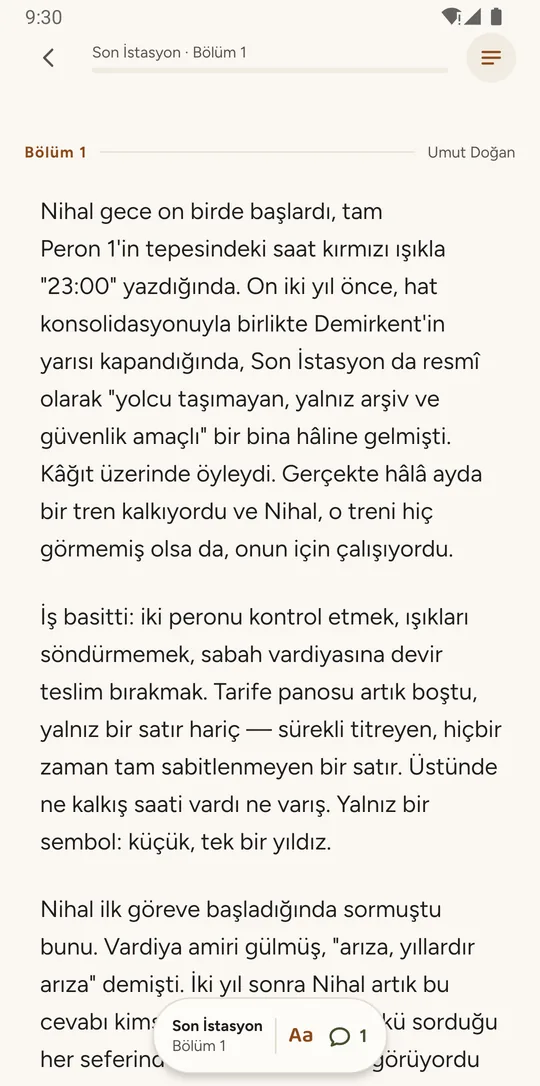
On Story Circle, the first writer to start an open chapter is the one who writes it, and a chapter that passes content review is published without waiting for a vote or a moderator.
How does writing a story together work?
In short: find an open chapter, start writing it before anyone else, submit it, and it’s published once it passes review. The loop repeats until the book reaches its target chapter count.
Every step in detail, including what happens when your writing time is up, flagged chapters and revisions: how Story Circle works.
Find an open chapter
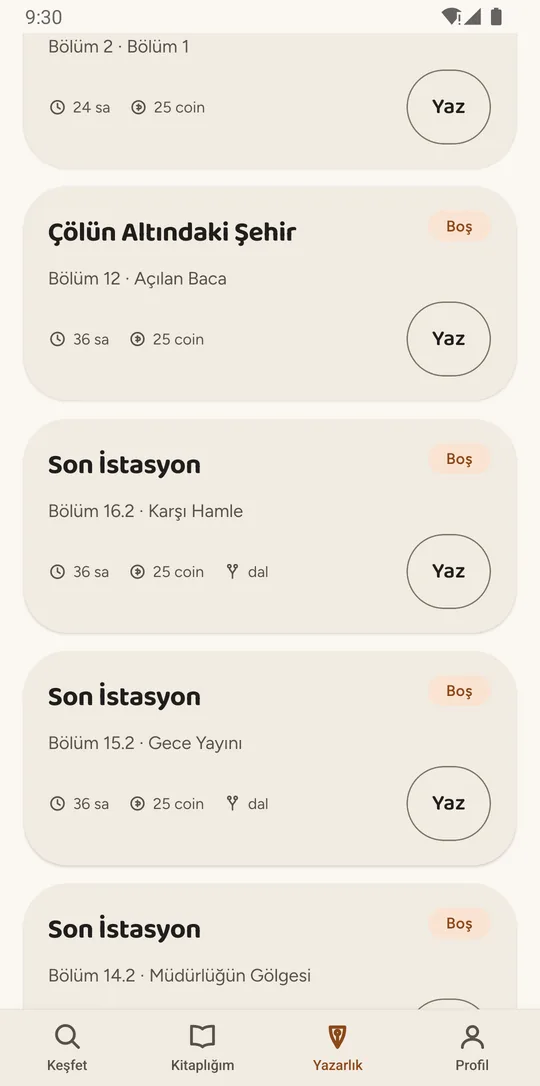
Every book starts with a first chapter, characters and rules from whoever set it up. The Writing tab lists the chapters waiting to be written, and each card shows that book’s writing time.
Start writing
The first writer to start an open chapter writes it. It’s yours for the writing time the book owner chose (6, 12, 24, 48 or 72 hours), and your draft saves as you go.
Submit
When you’re done, you submit, and the chapter goes through automatic content review before it’s published. If it’s flagged, you see why and can fix it and resubmit, or appeal.
Publish
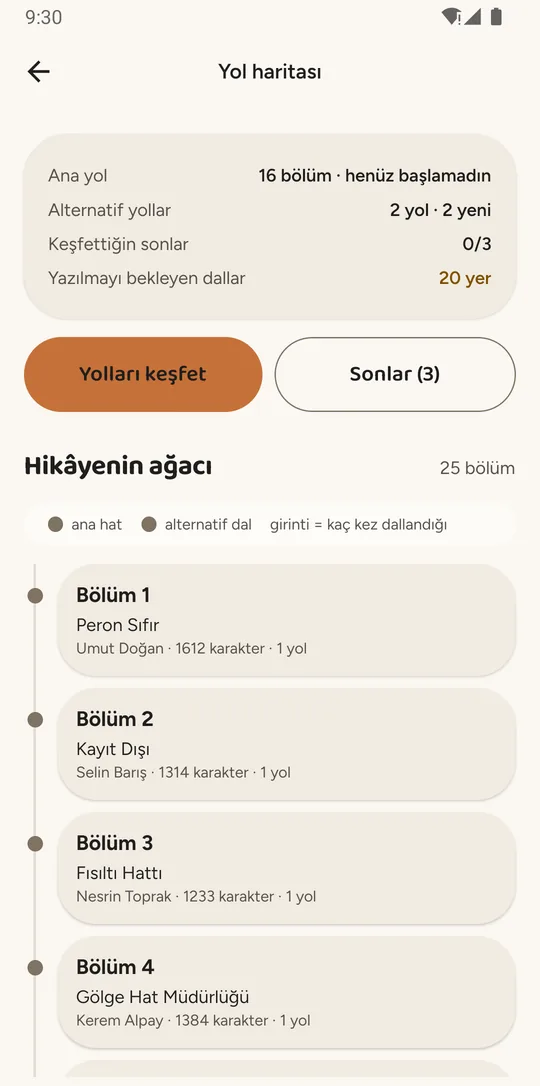
A chapter that passes review publishes on its own, and new open chapters appear under it. In a branching book several continuations can sit under one chapter, and each reader chooses a path. The loop runs until the book reaches its target chapter count.
Who writes the next chapter?
The first person to start writing an open chapter becomes its author.
From the moment you start, the chapter is yours for the book’s writing time. The book owner sets it to 6, 12, 24, 48 or 72 hours; the default is 24. If your writing time is up before you submit, the chapter opens up again and someone else can start it. Nothing you wrote is lost — it stays with you as a draft.
You can write only one chapter at a time in the same book. In a branching book, though, different writers can work on the open chapters under the same parent at once: one writes 2.1 while another writes 2.2.
If the book owner switches on the consecutive-author rule, a writer has to wait 6 hours after their own chapter is published before writing the one right under it. The point isn’t to keep anyone out; it gives others a chance to go first.
One path or branching: what’s the difference?
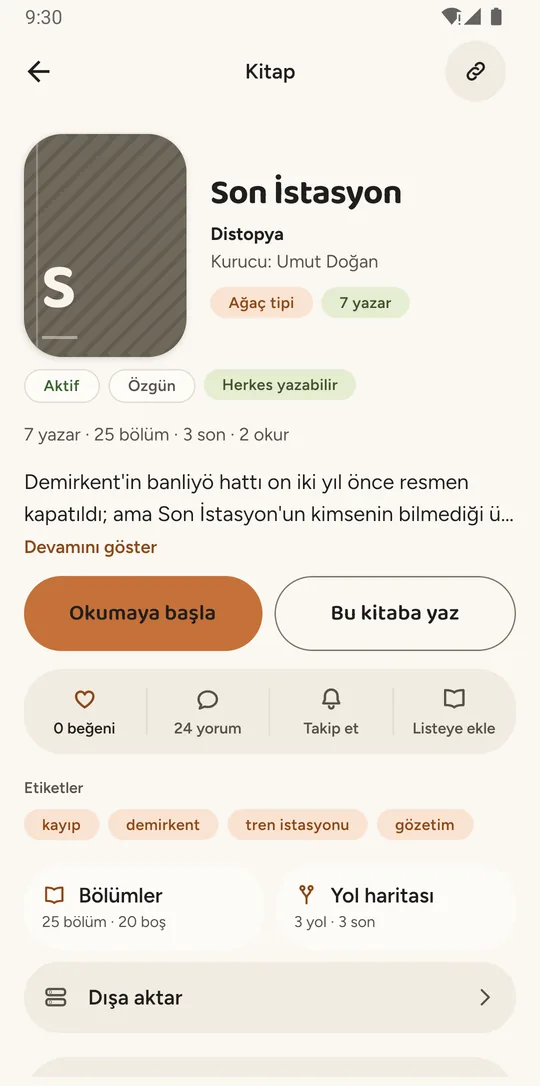
Every Story Circle book either follows a single path from start to finish or branches, with more than one continuation under a chapter. The book owner picks one when setting up the book, and it can’t be changed once the book is live.
| Question | One-path book | Branching book |
|---|---|---|
| Continuations under a chapter | One | 2 to 4, set by the book owner |
| What the reader does | Reads from start to finish | Chooses a path at every fork |
| Endings | One | Can be several |
| What goes into an export | Every published chapter | One path: the main path |
Stories where the reader chooses the path are also called interactive fiction; for the craft side, see how to write a branching story.
Who is Story Circle for?
Groups of friends who want to write together, writers who’d like to add one chapter to someone else’s story, and readers who want to follow books while they’re being written.
Friends writing together
Set up a book and choose “Approval required” for participation: people who want to write apply, and you approve them. Invite friends by username or share the book’s link.
- “Unlisted” keeps the book out of Discover
- Characters and rules decided when you set the book up
- Export the book as EPUB or PDF with SC
Readers
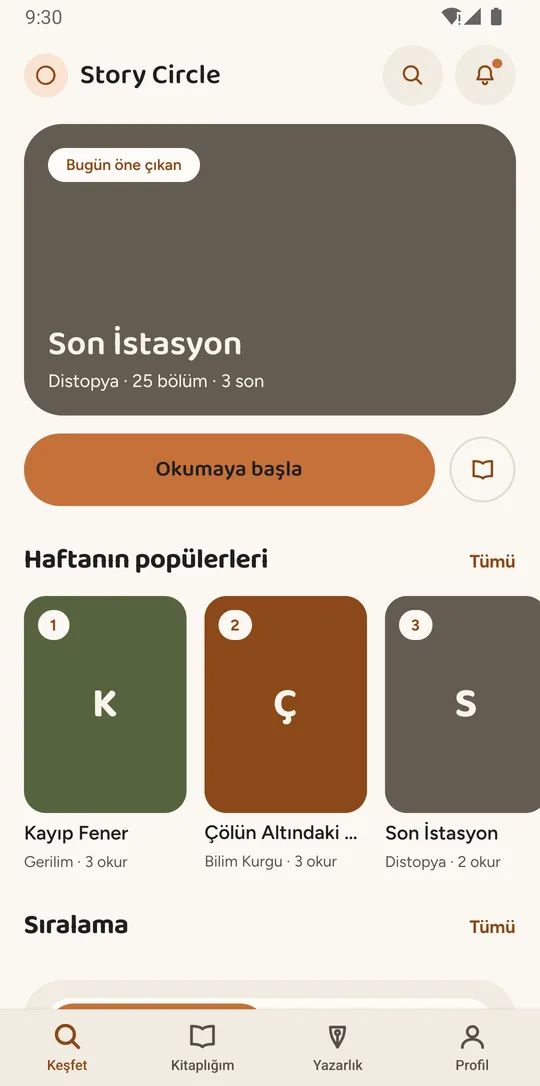
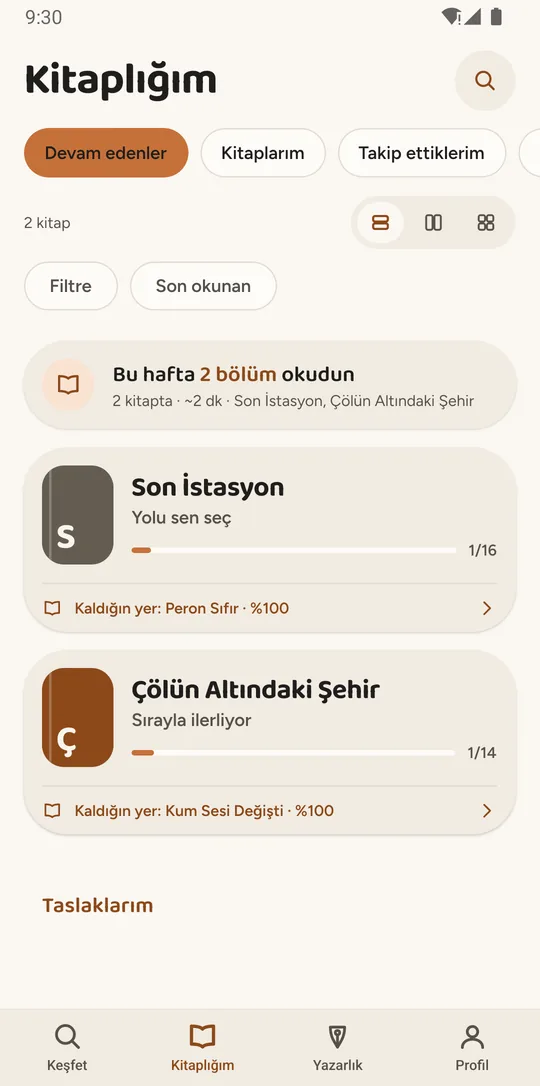
You can use the app without writing a line: find books being written right now and pick up where you left off.
- Reading lists and the books you follow
- Comments and likes
- Notes and saved quotes
- Choosing your own path in branching books
Writers
Set up your own book, or join someone else’s by writing a chapter of it. The copyright in the chapter you write stays yours.
- Start writing an open chapter; drafts save as you go
- Propose a revision to a published chapter
- As a book owner, manage participation and characters
For the ways a group can run one book, read the guide to collaborative writing; for craft, the creative writing guides. Every reader and writer tool is listed under book writing app features.
Are chapters checked before they’re published?
Yes. Every submitted chapter goes through automatic content review before it’s published, and no chapter goes live without passing it.
- Submit
- Automatic content review
- Publish
- If flagged: fix it, resubmit, or appeal
The review checks the chapter against the platform’s content rules automatically. If a chapter is flagged you see the reason, and you can fix it and submit again or appeal for a human review.
A book owner can also choose to see submissions before they’re published. If they don’t look within 24 hours, the chapter publishes on its own; if they decline it, they have to give a reason.
The app has tools for reporting chapters, comments, books and users, and for blocking a user. Reports are reviewed by platform moderators. The details are in section 6 of the Community Guidelines.
What do the app’s terms mean?
- Chapter
- One part of a book, written by a single author. Once it’s published, open chapters appear under it for the next writers, and every chapter shows who wrote it.
- Writing time
- How long an open chapter stays yours after you start writing it. The book owner sets it between 1 and 72 hours; if your writing time is up, the chapter opens up again and what you wrote stays with you as a draft.
- Path
- An alternative continuation written under the same chapter, sometimes called a branch. In a branching book a chapter can carry up to four paths; the reader chooses which one to follow, and one book can have several endings.
- Revision
- A change proposed to a chapter that’s already published. The new text goes through automatic content review too, and it only goes live if the book owner approves it; when someone proposes a change to another writer’s chapter, that writer approves it first.
- Story Coin (SC)
- The in-app unit. You spend it to set up a book, raise a book’s target chapter count, appreciate a chapter or export a book as a file, and you earn it by publishing chapters, signing in daily and reading. SC can’t be bought; it has no real-money value and can’t be transferred or refunded.
The full glossary of creative writing terms — open slot, main path, ending, paths per chapter and more.
Questions people ask about Story Circle
Is Story Circle free?
Yes. Downloading and using Story Circle is free, and there are no ads in the app. A few things, like setting up a book or exporting one as a file, cost Story Coin (SC). SC can’t be bought: you earn it by publishing chapters, signing in daily and reading.
Can I write a story with friends?
Yes. Set up a book and choose “Approval required” for participation: people who want to write apply, and you approve them, so only your friends write. You can invite friends by username or share the book’s link. Choose “Unlisted” if you’d rather the book didn’t show up in Discover; writing in unlisted books doesn’t earn SC.
Is Story Circle a collaborative storytelling game?
It’s closer to a writing app than a game: what you end up with is a book that others can read chapter by chapter and that can be exported as EPUB or PDF. What it shares with a storytelling game is the surprise — you never know who will write the next chapter, or where they’ll take it.
Is Story Circle available on iPhone?
Not yet. Story Circle is Android only for now: it’s in closed testing on Google Play, and the public release date is November 1, 2026. There’s no date yet for an iOS version.
What languages is the app available in?
The app’s interface is available in English and Turkish. You can pick the language under Profile → Settings → Language; the “Device language” option follows your phone.
What happens if my writing time runs out?
The chapter opens up again, and whoever starts writing it first gets to write it. Nothing you wrote is lost: it stays with you as a draft, and if the chapter is still open you can start writing again.
Can a story have more than one ending?
Yes, in a branching book. The book owner allows 2 to 4 continuations under each chapter; readers choose a path at every fork, and different paths lead to different endings. Stories like this are also called interactive fiction.
Account, rights and notification questions: Story Circle support
Where to read more
How Story Circle works
From starting a chapter to publishing it, in six steps: what happens when your writing time is up, what to do with a flagged chapter, how revisions work.
Collaborative writing
The ways people write a book together, where each one tends to stall, and how the first-to-start model differs.
Interactive fiction
Stories where the reader chooses: how branching structures are built, and why one book can have several endings.
Book writing app features
Reader and writer tools: reading lists, drafts, revisions, EPUB and PDF export, and Story Coin (SC).
Creative writing guides
From finding a story idea to building a character and getting past writer’s block — guides that work with or without the app.
How to write a story
Setting a scene, what your character wants, the first line and the end of a chapter, step by step.
Last updated: