 Story Circle
How Story Circle works
On Story Circle, one book is written by many people. Whoever sets up the book writes the first chapter and the rules. After that, the first person to start writing an open chapter writes it, within a writing time the book sets, and a submitted chapter publishes itself once it passes automatic content review.
Last updated:
No chapter on Story Circle is assigned in advance: the first person to start writing an open chapter is its only writer for the book’s writing time — between 6 and 72 hours, 24 by default.
This page explains the rules. For the screens themselves, see Story Circle’s book writing app features; for short definitions of words like “path” and “ending”, see the glossary of creative writing terms.
How does a chapter go from open to published?
A chapter goes from open to published in six steps: the book is set up, you find an open chapter, start writing, write, submit, and it publishes once it passes review. Here is what happens at each step.
Set up the book
What happens: The person who sets up the book writes the first chapter and the frame: the premise, the character guide, the story rules, the target chapter count, the chapter length, the writing time, and whether the story is written in order or branches. Once the book goes live, these structural settings stay fixed. Setting up a book costs Story Coin (SC).
Find an open chapter
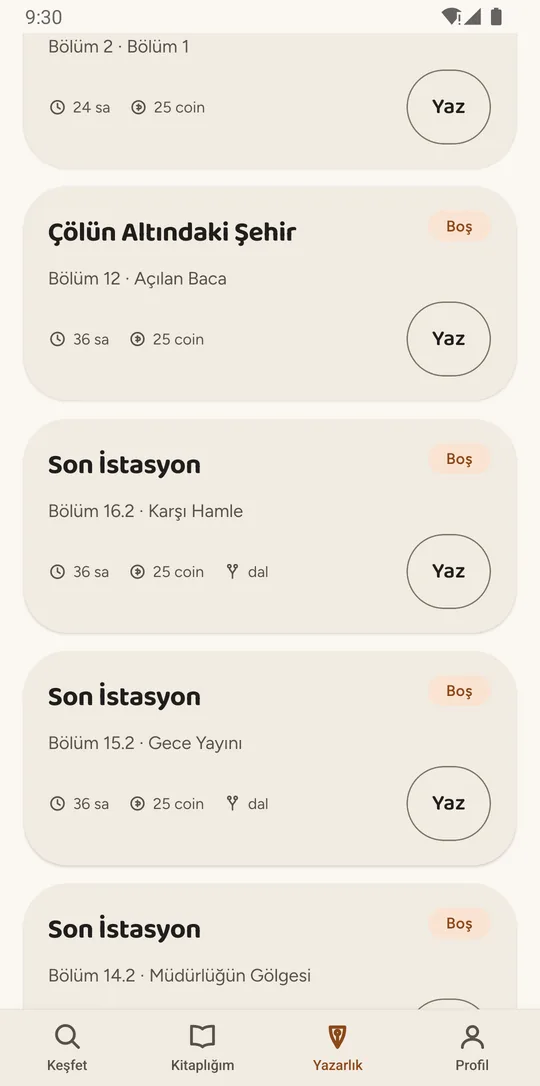
What happens: The Writing tab lists every open chapter in every book you can write in, with the book, where the chapter sits and how much writing time it comes with. To write a chapter you need to have read the path that leads to it; if you haven’t, the card shows where to pick up reading.
Start writing
What happens: The first person to press “Start writing” becomes that chapter’s only writer. Other writers see it as being written, with the time left and the writer’s name. If two people press at the same moment, only one gets the chapter and the other is told it is being written right now.
Write
What happens: The editor always shows the time left, a character counter and when your draft was last saved. The draft saves to the server as you type, and to your phone if the connection drops. The previous chapter, the book’s note and rules (including any required opening line and words the book bans), the character guide and the notes you took while reading open without leaving the editor.
Submit
What happens: You can submit once the text fits the book’s character range; outside it, the Submit button stays off. The chapter then goes through automatic content review before it is published. The result usually arrives within seconds, and your writing time is paused while review runs.
It publishes itself
What happens: A chapter that passes review publishes on its own. If the book owner turned on pre-publication review, it goes to them first and publishes anyway if they don’t decide within 24 hours. Followers of the book are notified, the chapter opens for comments, and the next open chapter below it becomes available to write.
- Start writing
- Write
- Submit
- Automatic review
- Published
Who writes the next chapter on Story Circle?
Whoever starts writing an open chapter first writes it; nobody is handed a chapter ahead of time.
The place where the next chapter is waiting to be written is a chapter slot. A book written in order has one open slot at a time; a branching book can have more than one under the same chapter.
The “Start writing” button is open to everyone at once, but a few conditions have to hold for it to be open to you. They all serve one goal: the next chapter should be written by someone who knows the story and actually means to write it.
| Condition | What it means |
|---|---|
| You may write in the book | If the book is open to everyone, anyone can write. If it needs approval, writers whose request the book owner accepted can. |
| The chapter is open | Nobody is writing it right now. If someone is, tap “Notify me when it opens up” and you get a notification if the chapter opens again. |
| You are not writing another chapter in that book | One chapter per book at a time. You can write in other books alongside it. |
| You have read the path to it | In a book written in order, every published chapter; in a branching book, only the chapters above the path you are continuing. Chapters you wrote count as read. |
| Your level is high enough (only if the owner asks) | A book owner can set a minimum author level. It is off by default. |
| Directly under your own chapter (only if the owner asks) | With the consecutive-author rule on, you can continue your own chapter 6 hours after it was published. The rule is off by default and never applies to the book owner. |
The reading condition is a deliberate Story Circle choice: writing the next part of a shared story you have not read is the fastest way to break it. In a branching book you only need the path you are continuing, not every branch.
How long do you have, and what if time runs out?
The person who sets up the book picks the writing time — 6, 12, 24, 48 or 72 hours, 24 by default. When it runs out, the chapter opens to everyone again and your text stays with you as a draft.
The time counts down at the top of the editor, and you get a notification when one hour is left. It cannot be extended. It is paused while content review runs and while a chapter waits for the owner’s pre-publication review; if the chapter comes back to you for changes, the remaining time picks up where it stopped. Pausing the book freezes it too.
If you change your mind, “Let go of the chapter” opens it to others straight away and keeps your draft in My drafts. Starting a chapter and then not writing it does have a small cost, and the app tells you the amount before you let go.
| Situation | What happens |
|---|---|
| You let go in the first half of your writing time | No cost. The chapter opens again and your draft stays with you. |
| You let go after the halfway point, or your writing time is up | If your draft is under half the book’s minimum chapter length, a small amount of SC is deducted from your account, and it grows if this happens again within 30 days. If your draft is past that point, there is no cost. |
| You own the book, or the book is paused | No cost. |
When your writing time is up, nothing you wrote is deleted: the draft is stored separately, and if the chapter is still open you can carry on from it.
How does a submitted chapter get published?
Every chapter goes through automatic content review before it is published; if it passes, it goes live without anyone approving it by hand.
Review checks the platform-wide content policy — profanity, sexual content and nudity — and it is the same in every book. A book’s own story rules are not part of it; the book owner looks after those.
If your chapter is flagged, you see the category and the reason, and you have three options: correct it and submit again, withdraw the submission (your draft stays with you), or appeal for human review if you think the result is wrong. An appeal does not hold the chapter for you — it stays open to other writers while the appeal is reviewed, and if the appeal succeeds and the chapter is still open, yours is published.
A book owner can choose to see chapters that passed review before they go live. It is off by default, and even when it is on it cannot stall the book: if the owner does not decide within 24 hours, the chapter publishes on its own.
No chapter is published without passing review. If review cannot finish for a technical reason, the chapter is not published and review is tried again.
What changes in a branching book?
In a branching book, more than one continuation can be written under the same chapter, and readers choose their own path at every fork.
Branching books set up in the app today allow two continuations under a chapter. The person setting up the book can also make forks appear only every few chapters (for example, every fourth) and cap how many different endings the book can have. Each continuation is its own open chapter, so two writers can work on two different continuations of the same chapter at the same time.
For the craft side of planning a story like this, read how to write a branching story; for keeping a story consistent across several authors, see the guide to collaborative writing.
| Question | Written in order | Branching |
|---|---|---|
| Continuations under one chapter | One | More than one (two in books set up in the app) |
| People writing at the same time | One | As many as there are open chapters |
| What readers follow | Everyone reads the same story | Each reader chooses a path at every fork |
| What you read before writing | Every published chapter | Only the chapters above your path |
| Endings | One | Every path reaches its own ending |
When is a book finished?
A book is finished when it reaches the target chapter count set when it was set up; the target includes the first chapter.
The target can be anything from 2 to 200 chapters, so a target of 10 means the first chapter plus nine more. A book written in order finishes on its own when the chain reaches the target. In a branching book, every chapter that reaches the target ends its path; the book is finished when every open path has ended, or when the owner closes it to new writing.
The target is not a hard ceiling: the owner can extend the book by spending SC. When a book is finished, everyone who wrote in it receives SC for each chapter they wrote, and a breakdown shows who wrote how much. A finished book stays open for reading and comments.
If you are thinking of setting up your own book, the guide on how to start writing a book walks through choosing the target, chapter length and rules.
Can a published chapter be changed?
Not directly: changes are proposed as a revision and go live when the book owner approves them.
You can open a revision for your own chapter, and if the book allows it you can propose a change to someone else’s, with a reason. A revision goes through content review again and then to the book owner. If it is approved, the chapter is updated and the earlier version is kept. The owner can never rewrite anyone’s text themselves.
How Story Circle works: frequently asked questions
Do I need to set up my own book to write on Story Circle?
No. You can write open chapters in other people’s books; the Writing tab gathers them in one list. Setting up your own book costs Story Coin (SC).
Can two people write the same chapter at once?
One open chapter has one writer at a time. In a branching book, though, several continuations can be written under the same chapter at the same time, and readers choose which path to follow.
If my writing time is up, is my text deleted?
No. What you wrote stays in My drafts. If the chapter is still open, you can start writing again and carry on from the same draft.
What can I do if my chapter is flagged?
You see which category it was flagged for and why. You can correct the text and submit again, withdraw the submission, or appeal for human review if you think the result is wrong.
Can the book owner edit my chapter?
No. A book owner cannot change anyone’s text; they can only approve or turn down a revision, with a reason. They can remove a chapter that breaks the book’s published rules, but only if nothing has been written under it yet, and only by citing the rule and giving a reason.
Who owns the copyright in a chapter I write?
You do. You give Story Circle a non-exclusive license to publish, list and promote the chapter on the platform, nothing more.
Which devices and languages does Story Circle support?
Story Circle is an Android app. It is in closed testing on Google Play, with the public release planned for November 1, 2026. The interface is available in English and Turkish. There is no iOS version yet.
Account, privacy and reporting questions are answered on the Story Circle support page.